1. Installation and / or updating
You can download our plugin from revit marketplace.

One time installed, you will see the ‘S_Walls’ tab in the tabs space, and in the revit main menu.

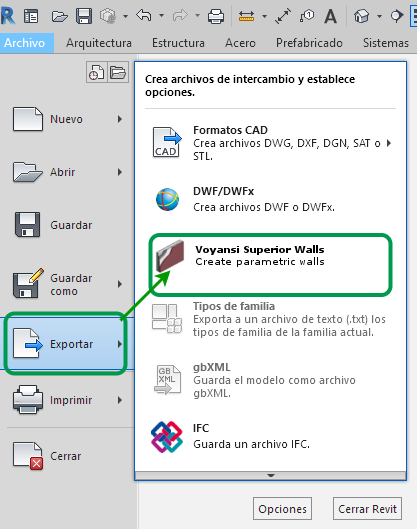
Direct link in main menu
You can choos to export de superior walls to a new revit project using the Export option > Voyansi superior walls
Also the dialog will offer you the possibilitie to insert the elements into an existing revit projet.
In case you find problems, bugs or want to comunicate with us, please check our help solver
Usefull fast links in this section